Every M-PESA transaction has a cost. Most Kenyans never stop to add them up.
If you send money a few times a week, withdraw cash twice, and use Fuliza occasionally, you could easily be spending hundreds of shillings every month just in transaction fees.
This guide breaks down the 2026 M-PESA charges in Kenya, including send money fees, withdrawal charges, Paybill and Buy Goods fees, and Fuliza charges.
BEYOND THE FEE TABLEYou know what M-PESA charges. Do you know how much you actually paid?
The tables below tell you what Safaricom charges per transaction. Shmoney shows you what you personally paid in M-PESA fees across your transactions.
See My M-PESA Fees →Free on Google Play • Automatically tracks your M-PESA transactions
Send Money Fees in 2026
The cost of sending money through M-PESA depends on the amount you send. For registered M-PESA users, the current fee bands are shown below.
| Amount (KSh) | M-PESA Fee (KSh) |
|---|---|
| 1 – 100 | Free |
| 101 – 500 | 7 |
| 501 – 1,000 | 13 |
| 1,001 – 1,500 | 23 |
| 1,501 – 2,500 | 33 |
| 2,501 – 3,500 | 53 |
| 3,501 – 5,000 | 57 |
| 5,001 – 7,500 | 78 |
| 7,501 – 10,000 | 90 |
| 10,001 – 15,000 | 100 |
| 15,001 – 20,000 | 105 |
| 20,001 – 50,000 | 108 |
Don't just know the fee. Know your total.
Looking at an M-PESA fee table tells you what one transaction costs. It doesn't tell you how much you've spent on fees over the last 30 days.
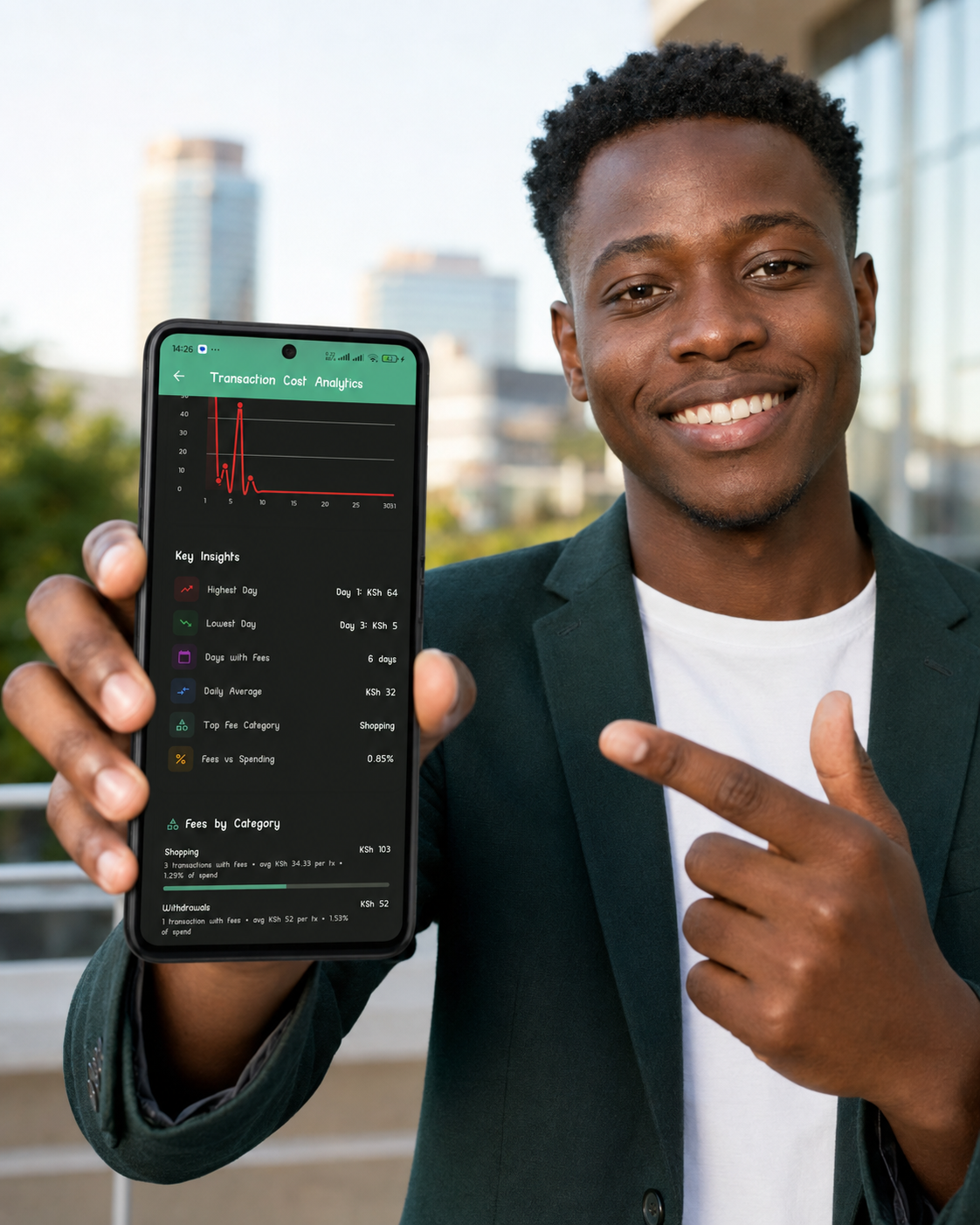
Shmoney automatically analyzes your M-PESA transaction messages and turns those individual charges into useful insights.
- See your total M-PESA transaction fees
- See which days cost you the most
- Break fees down by transaction category
- See fees as a percentage of your spending
- Track your spending patterns over time
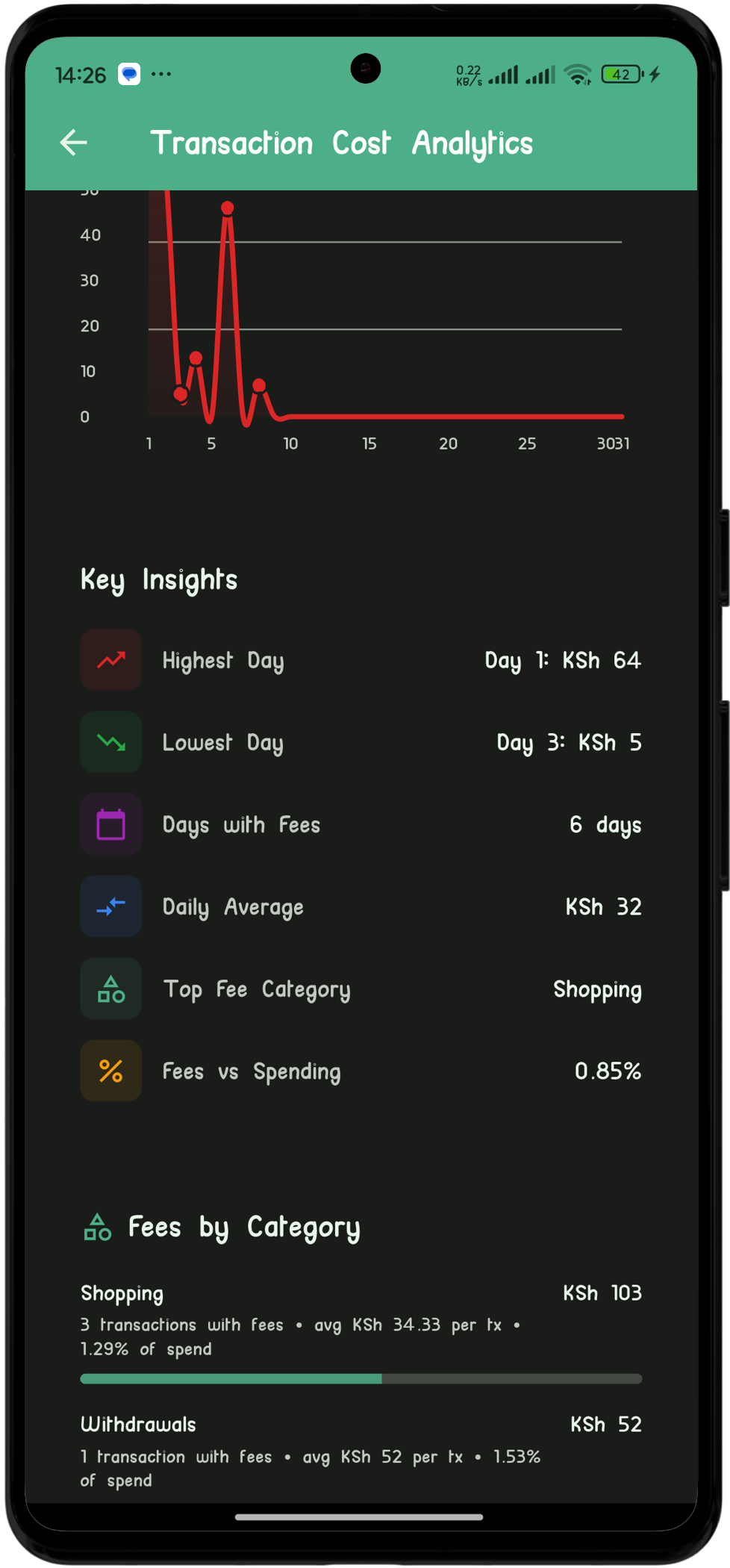
Shmoney's Transaction Cost Analytics shows where your M-PESA fees are actually going.
M-PESA Withdrawal Charges in 2026
M-PESA withdrawal fees depend on the amount withdrawn. These are the typical agent withdrawal fee bands:
| Withdrawal Amount (KSh) | Fee (KSh) |
|---|---|
| 50 – 100 | 11 |
| 101 – 1,500 | 29 |
| 1,501 – 2,500 | 29 |
| 2,501 – 3,500 | 52 |
| 3,501 – 5,000 | 69 |
| 5,001 – 7,500 | 87 |
| 7,501 – 10,000 | 115 |
| 10,001 – 15,000 | 167 |
| 15,001 – 20,000 | 185 |
| 20,001 – 50,000 | 197 – 278 |
If you withdraw cash frequently, these charges can add up surprisingly quickly over a month.
Paybill and Buy Goods M-PESA Charges
Not every M-PESA transaction attracts a customer fee.
- Buy Goods / Till payments: Free for customers.
- Paybill payments: Generally free for customers, although the specific service provider may have its own terms.
Whenever you can pay a merchant using a till number instead of sending money to a personal M-PESA number, you can avoid the applicable send-money charge.
Fuliza Charges in 2026
Fuliza is different from a normal M-PESA transaction because the cost depends on the amount borrowed, how long the balance remains outstanding, and the applicable Fuliza fees.
If you use Fuliza regularly, don't just look at the amount you borrow. Look at the total fees you pay over an entire month.
Important: Fuliza fees and terms can change. Check the latest official Fuliza tariff information before relying on a fee figure for a specific transaction.The bigger financial question is: How much does Fuliza actually cost you over time?
THE REAL COST ADDS UPWhat Does Your Total Monthly M-PESA Fee Spend Look Like?
Consider a hypothetical M-PESA user who sends money regularly, withdraws cash several times and uses Fuliza occasionally.
| Transaction Type | Frequency | Average Fee | Monthly Total |
|---|---|---|---|
| Send money (KSh 1,000–2,500) | 10× | KSh 33 | KSh 330 |
| Cash withdrawal (KSh 1,000–3,500) | 6× | ~KSh 40 | KSh 240 |
| Fuliza | 2× | Example | KSh 50* |
| Example total | KSh 620/month* |
*Illustrative example only. Actual fees depend on your transaction amounts, frequency and applicable tariffs.
HERE'S THE NUMBER THAT MATTERSHow much did YOU pay in M-PESA fees last month?
You could manually go through hundreds of M-PESA messages and add everything yourself.
Or let Shmoney do it automatically.
Fees Tracked automatically Spending Categorised automatically Insights See where your money goes Get Shmoney Free on Google Play →Track M-PESA transactions • Understand your fees • See your spending
What Shmoney Does Beyond Tracking M-PESA Fees
M-PESA fees are only one part of understanding your mobile-money spending. Shmoney turns your M-PESA transaction history into a complete spending picture.
Track M-PESA Fees
See how much you spend on transaction charges instead of guessing from individual SMS messages.
Automatic Categorisation
Organise transactions into categories such as food, transport, shopping, bills and other expenses.
Track Your Budgets
Set spending limits and see how your actual spending compares with your budget.
Spending Insights
See which days you spend most, which categories are growing and how your spending changes from month to month.
Track Fuliza
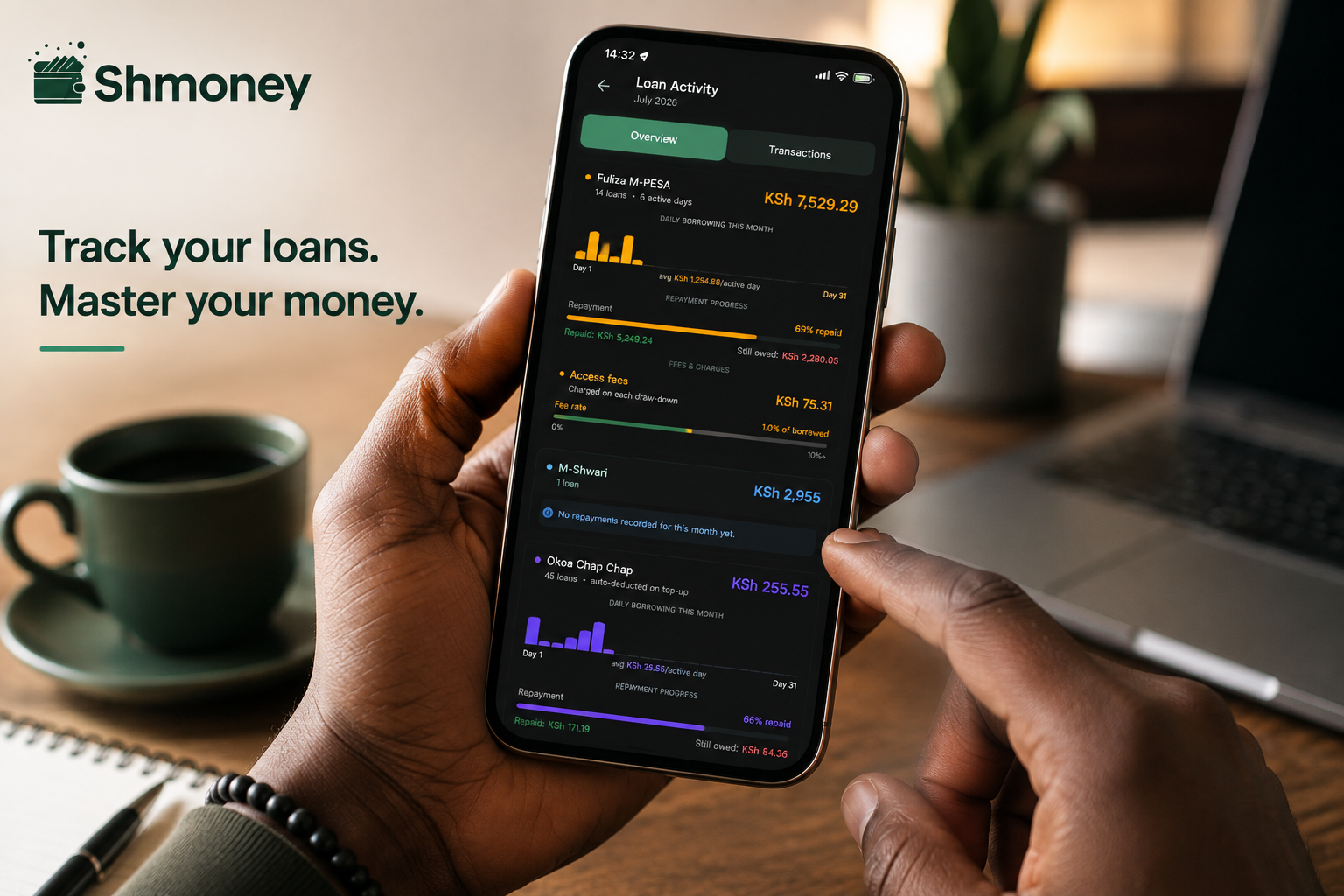
Keep an eye on your Fuliza activity and understand how borrowing contributes to your overall mobile-money costs.
Generate Statements
Generate useful spending reports for different periods directly from your transaction history.
Stop guessing where your M-PESA money goes.
Shmoney automatically turns your M-PESA transaction messages into spending insights, fee breakdowns and useful financial summaries.
Download Shmoney Free →Available on Android
4 Quick Ways to Reduce Your M-PESA Fees
- Withdraw larger amounts less often. One larger withdrawal can cost less than several smaller withdrawals, depending on the applicable fee bands.
- Use Buy Goods / Till payments when appropriate. Customer payments through a merchant till are generally free.
- Repay Fuliza as quickly as possible. Where daily fees apply, carrying a balance for additional days can increase your total cost.
- Think about the number of separate sends. Multiple small transfers can result in more total fees than fewer larger transfers, depending on the fee bands.
Frequently Asked Questions About M-PESA Charges
How much does it cost to send money through M-PESA?
M-PESA send-money charges depend on the amount being transferred. Smaller transfers can have lower fees, while larger transfers fall into higher fee bands. See the send-money table above for the applicable ranges.
Is sending KSh 100 through M-PESA free?
The applicable M-PESA tariff should be checked for the current fee band. Fee schedules can change, so confirm the current Safaricom tariff when making an important transaction.
Is withdrawing money from M-PESA free?
No. M-PESA agent withdrawals generally attract a fee based on the amount withdrawn. The withdrawal fee table above shows the applicable ranges.
Is Lipa Na M-PESA Buy Goods free for customers?
Customers generally do not pay a transaction fee when paying a merchant through a Buy Goods till. The merchant is charged according to the applicable merchant tariff.
How much does Fuliza cost?
Fuliza's cost depends on the applicable fees, the amount borrowed and how long the balance remains outstanding. Because the tariff can change, check the latest official Fuliza terms for the current charges.
Can I see all my M-PESA fees in one place?
Yes. Shmoney is designed to automatically analyse your M-PESA transaction messages and show your transaction costs and spending patterns in one place.
Instead of manually searching through individual M-PESA messages, Shmoney can help you see your overall transaction-fee spending.
How can I track my M-PESA spending?
You can manually review your M-PESA statements, or use an expense tracking app such as Shmoney to organise your transaction history, categorise spending and analyse your transaction costs.
Track My M-PESA Spending with Shmoney →Do M-PESA charges change every year?
Safaricom can review and change its M-PESA tariff structure. Always verify the latest official tariff information when making financial decisions based on a specific fee.
READY TO SEE YOUR NUMBER?Find out how much your M-PESA fees are really costing you.
Don't spend another month guessing. Let Shmoney analyse your transactions and show you where your mobile-money costs are going.
Download Shmoney Free on Google Play →M-PESA tracking • Fee analytics • Spending insights • Budget tracking
More M-PESA Guides
Fuliza Charges 2026: Daily Fees, Real Cost & How to Track Them
Read the guide →How to Get Your M-PESA Statement in 2026
Read the guide →More M-PESA & Personal Finance Guides
Explore Shmoney Blog →Want to see where your M-PESA money goes?
Download Shmoney →